


File preparation guide
Five steps from your file to a perfect print: file type, colour, resolution, proportion and sending it to us.
Choose a file type
The first step to a quality print is an appropriate file type. For the best results, upload .jpg or .pdf files whenever possible.
Save at high or maximum quality (minimal compression), often shown as quality level 12.
Turn down-sampling off and use no bitmap compression. Include all fonts and do not allow font substitution. High quality .jpg or 8 bit zip compression can reduce file size.
Save from Photoshop or other imaging software flattened (no layers), with no compression.
Other supported file types
Files straight from Word, Excel and PowerPoint can work, but results vary if images or fonts are missing or read differently. Check the proof before ordering. When you can, use “Save As” or “Export” to make a PDF first.
Check the colour mode
The recommended colour mode is RGB.
We can print from CMYK or RGB files, but RGB gives the best output. All inkjet printers print in CMYK while monitors display RGB. Our monitors and printers are colour calibrated, and our software converts RGB to CMYK with better results than converting the file yourself. If your file is already CMYK, leave it; our printers will reproduce it correctly.
Leave the file in the colour mode it was created in. Changing it just to send to us can cause unexpected colour shifts.
Check size and resolution
For the best output, make sure there is enough resolution in your original file. Our File Quality Check reads it for you and suggests the largest size to print.
Aim for an original that is 25% to 50% of your final size at 300 dpi.
Right for most posters: displays, banners, photo enlargements and signs without small text. For a 24 × 36 poster, that is 6 × 9 inches at 300 dpi.
For ultra photographic detail, art reproduction and designs with small text. For a 24 × 36 poster, that is 12 × 18 inches at 300 dpi.
Quick reference: original file size at 300 dpi
| Final print size | Normal quality | Pixels | Highest quality | Pixels |
|---|---|---|---|---|
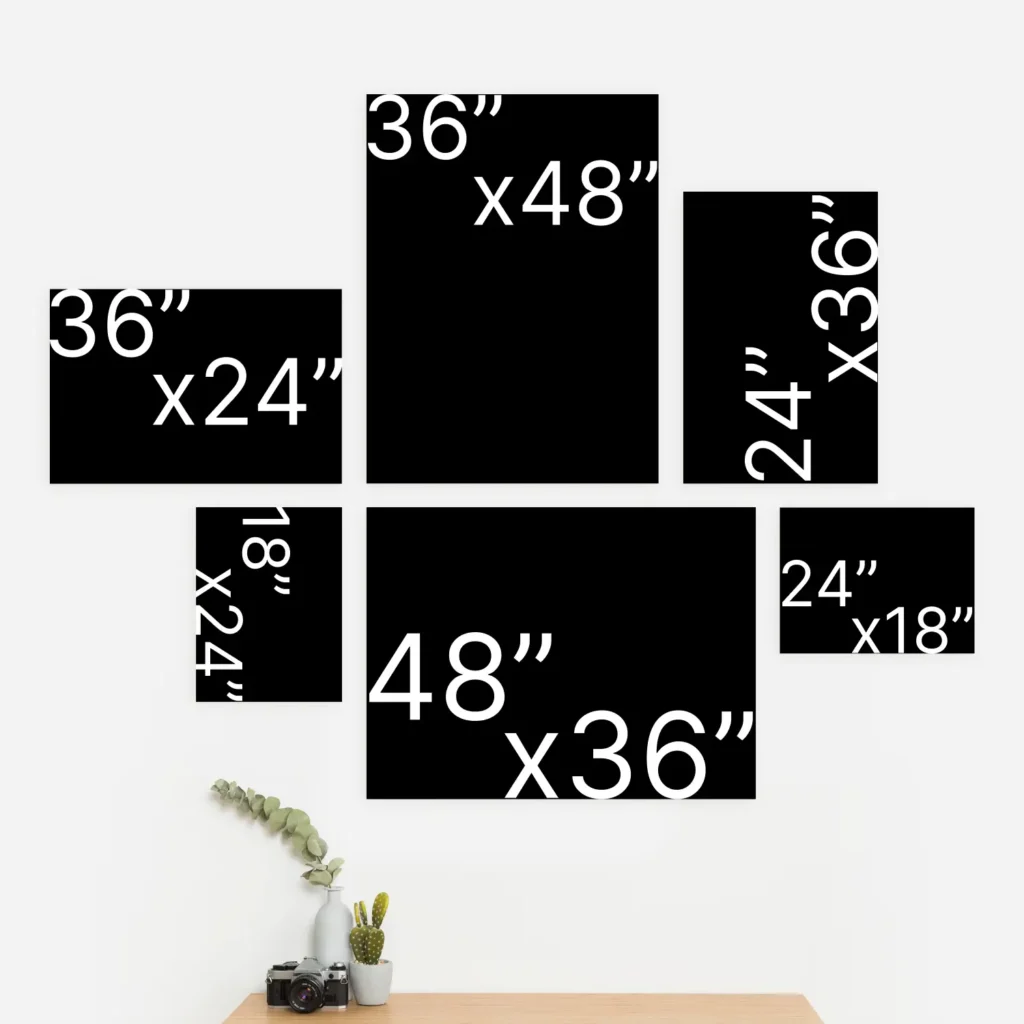
| 18 × 24 | 4.5 × 6 | 1350 × 1800 | 9 × 12 | 2700 × 3600 |
| 24 × 36 | 6 × 9 | 1800 × 2700 | 12 × 18 | 3600 × 5400 |
| 36 × 48 | 9 × 12 | 2700 × 3600 | 18 × 24 | 5400 × 7200 |
| 48 × 72 | 12 × 18 | 3600 × 5400 | 24 × 36 | 7200 × 10800 |
| 48 × 100 | 12 × 25 | 3600 × 7500 | 24 × 50 | 7200 × 15000 |
The same thing at three scales
Normal quality needs at least 75 dpi at full size, which equals 150 dpi at half size or 300 dpi at quarter size. High quality needs double: 150 dpi at full size.
| Final print size | 100% at 75 dpi | 50% at 150 dpi | 25% at 300 dpi | Pixels, normal | Pixels, high |
|---|---|---|---|---|---|
| 18 × 24 | 18 × 24 | 9 × 12 | 4.5 × 6 | 1350 × 1800 | 2700 × 3600 |
| 24 × 36 | 24 × 36 | 12 × 18 | 6 × 9 | 1800 × 2700 | 3600 × 5400 |
| 36 × 48 | 36 × 48 | 18 × 24 | 9 × 12 | 2700 × 3600 | 5400 × 7200 |
| 48 × 72 | 48 × 72 | 24 × 36 | 12 × 18 | 3600 × 5400 | 7200 × 10800 |
| 48 × 100 | 48 × 100 | 24 × 50 | 12 × 25 | 3600 × 7500 | 7200 × 15000 |
For a 24 × 36 poster, send 6 × 9 inches at 300 dpi (1800 × 2700 pixels) for normal quality, or 12 × 18 inches at 300 dpi (3600 × 5400 pixels) for high quality.
Check the proportion
Be sure your original scales up proportionally to the size you order.
A 4 × 6 original sizes up to 16 × 24, not 18 × 24, and an 8.5 × 11 sizes up to 24 × 32, not 24 × 36. A good rule of thumb: divide your width and height by the same number. For 24 × 36, dividing both by 4 gives a 6 × 9 original. If your original is not in proportion, crop it or change the print size.
When you order, your file is placed on a sheet the size of your print, where you can move, zoom and crop it. See the aspect ratio guide for a live demo.
Quick reference: what common originals size up to
| Original | Sizes up to | |||
|---|---|---|---|---|
| 3 × 5 | 18 × 30 | 21.6 × 36 | 24 × 40 | 36 × 60 |
| 4 × 6 | 8 × 12 | 16 × 24 | 24 × 36 | 32 × 48 |
| 4.5 × 6 | 9 × 12 | 18 × 24 | 27 × 36 | 36 × 48 |
| 6 × 9 | 12 × 18 | 24 × 36 | 36 × 54 | 48 × 72 |
| 8.5 × 11 | 24 × 31 | 28 × 36 | 36 × 46.5 | 37 × 48 |
| 8 × 12 | 24 × 36 | 36 × 54 | 48 × 72 | 60 × 90 |
| 9 × 12 | 18 × 24 | 24 × 32 | 36 × 48 | 48 × 64 |
| 11 × 17 | 23 × 36 | 24 × 37 | 36 × 56 | 31 × 48 |
Prepare to send
- Name your file clearly
Use a short, descriptive name with the right extension. It is shown on your order confirmation and helps us both track the image.
scrnsht77882v22ab.jpg hamburger_menu_board_2.jpg - Upload it in the order flow
The order flow accepts JPG, PNG, TIF, PDF and HEIC. It shows your file on a sheet the size of your print so you can check the proportion, crop, add borders and set the quantity.
- Very large files
If a file is too large to upload in the order flow, send it with Manual File Upload and tell us what it is for.
File extensions
| Extension | What it is |
|---|---|
| .TIF | From Photoshop, digital cameras and art software |
| .JPG | From Photoshop, digital cameras and art software |
| Portable Document Format | |
| .PNG | Portable Network Graphic |
| .EPS | Encapsulated PostScript |
| .AI | Adobe Illustrator |
| .PSD | Adobe Photoshop |
| .BMP | Bitmap |
Ready to get started?
Turn any photo or picture into a custom poster overnight. Online poster printing is fast, easy and affordable.